
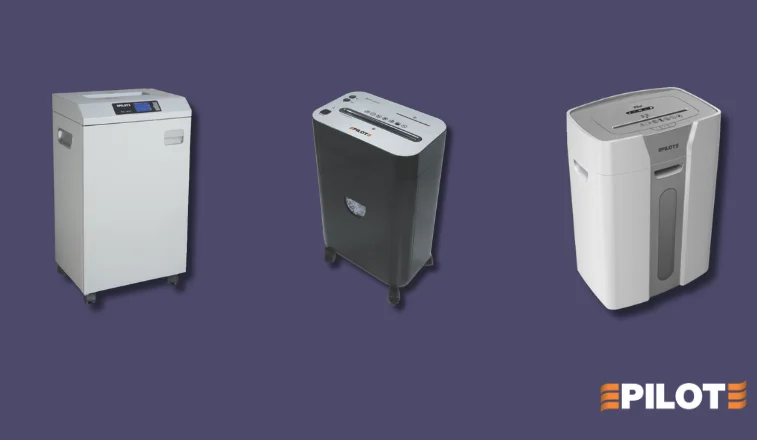
Protecting sensitive information, whether at home or in the workplace, starts with proper document disposal. Paper shredders are a critical tool for preventing identity theft, data leaks, and unauthorized access to confidential records. As your shredding needs grow, choosing the right type of machine becomes increasingly important.
The most important difference lies in how paper is fed into the shredder: auto feed or manual feed. While both options serve the same purpose, they vary in speed, convenience, and practicality depending on your setup. This guide explains what makes them different and helps you choose the one that fits your routine, budget, and workload.
What is a Manual Feed Shredder?
A manual feed paper shredder is exactly what it sounds like. You insert sheets of paper by hand, usually one at a time or in small batches, into the machine. The shredder starts working immediately and destroys the documents as you feed them.
This process puts you in control. You decide how many sheets to load and how often. For someone who shreds the occasional bill, receipt, or private letter, a manual shredder is often all you need.
Pros of Manual Feed Shredders:
- More affordable upfront
- Simple to use
- Compact and portable
- Fewer parts to maintain
Cons:
- Time-consuming for large stacks
- Requires constant user attention
Higher risk of paper jams from improper loading
What is an Auto Feed Shredder?
An auto-feed paper shredder changes the workflow completely. Instead of standing over the shredder feeding each sheet by hand, you load a stack of papers into a feeder tray. The machine pulls each sheet in automatically and shreds it one by one.
Think of it like a printer tray in reverse. Once it starts, you can walk away and let the shredder finish the job. Some auto feed models can handle hundreds of pages in one batch, making them a lifesaver for offices or bulk shredding needs.
Pros of Auto Feed Shredders:
- Saves significant time
- Handles large volumes
- Minimizes user involvement
- Often includes additional features like jam prevention or secure locks
Cons:
- More expensive than manual models
- Slightly more complex to maintain
- May be slower per sheet when compared to fast manual shredding
Key Differences at a Glance
| Feature | Manual Feed | Auto Feed |
| User Involvement | High-feed each batch manually | Low-load stack and walk away |
| Time Efficiency | Slower for bulk tasks | Fast and efficient for large jobs |
| Cost | Lower | Higher initial cost |
| Maintenance | Minimal | More moving parts to service |
| Ideal For | Home use, occasional shredding | Office use, high-volume shredding |
Security Considerations
Whether you choose a manual or an auto feed model, the level of security matters. Shredders typically offer three types of cuts:
- Strip Cut: Basic security, cuts paper into long strips.
- Cross Cut: Higher security, cuts paper both ways into small confetti.
- Micro Cut: Maximum security, ideal for highly confidential documents.
Auto feed shredders often come equipped with cross or micro cut blades, making them a better choice for compliance-heavy industries like law, finance, or healthcare. Manual shredders also offer secure cuts, but you need to check the model specifications.
When to Choose Manual Feed
Choose a manual feed shredder if:
- You shred documents occasionally
- Your shredding needs are personal or light-duty
You’re working with a tight budget - You prefer a compact, low-maintenance machine
Ideal for:
- Home offices
- Students
- Freelancers with minimal paperwork
When to Choose Auto Feed
Choose an auto-feed shredder if:
- You regularly shred high volumes
- You manage sensitive client information
You want a set-it-and-forget-it machine - You’re part of a busy office environment where time is critical
Ideal for:
- Legal firms
- Finance departments
- Government offices
Large businesses with compliance requirements
Final Thoughts
Choosing between auto-feed and manual feed paper shredders depends on how much and how often you shred. Manual models work well for occasional use and smaller workloads, offering simplicity at a lower cost. If you’re handling larger volumes regularly, especially in an office, auto feed shredders save time and effort by doing the work for you.
It’s less about which one is better and more about what fits your routine. Consider your volume, pace, and the importance of document security. The right shredder should make your workflow smoother without getting in the way.
FAQs
1. What is the difference between auto-feed and manual feed paper shredders?
Answer: Auto feed shredders allow you to load a stack of papers into a tray, and the machine automatically shreds them without needing your constant attention. Manual feed shredders require you to insert each sheet or small batch by hand.
2. Which is better for office use?
Answer: Auto feed shredders are generally better for office use because they handle high volumes of paper with minimal supervision, saving time and boosting efficiency.
3. Are auto-feed shredders more secure than manual feed ones?
Answer: Security depends on the cut type (strip cut, cross cut, or micro cut), not the feed method. However, auto feed models often come with higher-security options like cross-cut or micro cut.
4. Do auto-feed shredders cost more than manual-feed shredders?
Answer: Yes, auto feed shredders usually cost more upfront due to their advanced features, but they can save time and labor in the long run, especially for frequent or bulk shredding needs.
5. Can both shredder types handle staples and paper clips?
Answer: Many modern auto-feed and manual-feed shredders can handle documents with staples and paper clips, but it’s always best to check the specifications of the model.
Recent Comments